
Your next creative PC may need more than a fast CPU. In 2026, the real question for many video editors, designers, podcasters, streamers, and small studios is simple: Which Nvidia GPU gives me the most AI power without wasting money?
The hard part is that Nvidia now covers everything from creator laptops to giant data center systems. A card that is amazing for training large models may be complete overkill for editing reels, cleaning audio, or making images.
What Makes Nvidia AI Chips Important for Creators?
Nvidia GPUs are built to handle many tasks at the same time. This is called parallel computing, and it is why they are useful for AI tools, 3D work, video effects, voice cleanup, image generation, and code help.
For creators, this means faster previews, shorter exports, better upscaling, smarter background removal, cleaner audio, and quicker local AI results. You do not need to understand every chip detail, but you do need to understand VRAM, speed, cost, and software support.
7 Best Nvidia GPU Choices for Creators in 2026
1. GeForce RTX 5090: Best for Power Creators
The RTX 5090 class is the kind of card serious creators look at when they edit 8K video, run local image models, build 3D scenes, and multitask all day. It is not cheap, but it can replace hours of waiting with minutes.
This is a strong pick for YouTube studios, agencies, AI artists, and creators who earn money from heavy content production. If your GPU is working every day, the higher price can be easier to defend.
2. GeForce RTX 5080: Best High-End Balance
The RTX 5080 level is often the better value for people who want strong AI speed but do not need the absolute top card. It should handle advanced video editing, local AI tools, and 3D work very well.
For many creators in the USA, this is the “buy once, use for years” option. It gives strong performance without jumping into workstation or data center pricing.
3. GeForce RTX 5070 Ti: Best for Serious Solo Creators
The RTX 5070 Ti class is a smart pick for freelance editors, thumbnail designers, podcasters, and small-channel creators. It should give enough power for common AI tools while keeping the total PC cost lower.
If you make content for clients but do not train huge models, this tier may be the sweet spot. Pair it with enough RAM and a fast SSD for the best experience.
4. GeForce RTX 5060 or 5060 Ti: Best Budget GPU for AI
If you are asking for the best budget GPU for AI, this is the tier to watch. It is useful for learning, light image generation, editing short videos, and using AI features inside creator apps.
The main limit is VRAM. If two versions are available, choose the one with more memory if you plan to use local AI tools.
5. RTX Laptop GPUs: Best for Mobile Creators
Many USA creators work from coffee shops, classrooms, co-working spaces, or while traveling. An RTX laptop can be a great choice if you need AI features but cannot stay tied to a desktop.
Look for strong cooling, enough VRAM, and a display that fits your work. A thin laptop may look nice, but it can slow down under long exports or heavy AI tasks.
6. Nvidia H100 and H200: Best for Teams and Heavy Training
The Nvidia H100 and H200 are not normal creator GPUs. They are made for large AI training, large language models, research, and major business workloads.
Most creators should not buy these directly. If you need this level of power, using a cloud provider or rented server is usually more practical.
7. Nvidia B200 and GB200: Best for Enterprise AI Work
The B200 and GB200 are built for advanced data center AI. They are aimed at companies building or serving large AI systems, not a home editing setup.
If your creator business grows into a software platform, AI app, or large media pipeline, these chips may matter through cloud services. For normal content work, an RTX card is the better path.
Nvidia AI GPU List for Creators and Teams
| GPU Type | Best For | Who Should Consider It |
|---|---|---|
| GeForce RTX 5060 / 5060 Ti | Budget AI tasks, editing, learning | Students, new creators, hobbyists |
| GeForce RTX 5070 Ti | Strong creator work at fair cost | Freelancers and solo creators |
| GeForce RTX 5080 | High-end video, design, local AI | Pros and small studios |
| GeForce RTX 5090 | Heavy AI and 3D production | Advanced creators and agencies |
| H100 / H200 | Large training and inference | AI teams, labs, enterprise users |
| B200 / GB200 | Data center AI at scale | Large companies and cloud platforms |
How to Choose the Right Nvidia AI GPU in 2026
Step 1: Start With Your Real Work
Do not buy based on hype. Write down what you do each week: video editing, image creation, podcast cleanup, coding, 3D, streaming, or model testing.
If your main work is writing, planning, research, and team tasks, you may get more value from software first. A guide like 11 Best AI Productivity Tools in 2026 for Work, Study, and Software Teams can help you build a smarter workflow before buying hardware.
Step 2: Check VRAM Before Clock Speed
For AI creator tools, VRAM is often more important than raw speed. More VRAM helps with larger images, bigger video projects, and local AI models.
If you are stuck between two cards, the one with more VRAM may age better. This is especially true if you want to run tools locally instead of only using web apps.
Step 3: Match the GPU to the Tool Stack
A powerful GPU is only useful if your software can use it. Check your video editor, image tool, 3D app, audio app, or coding setup before you buy.
For example, podcasters may not need the most expensive card. Many audio tasks depend on smart software, and this list of 9 Powerful AI Podcast Editing Tools for Creators in 2026: Choose the Right Stack can help you decide what really needs local GPU power.
Step 4: Think About Desktop vs Cloud
If you use AI every day, a strong RTX desktop can save time and money. If you only need huge GPU power once in a while, cloud rental may be cheaper.
This is why H100, H200, B200, and GB200 matter, even if you never buy them. You may still use them through cloud tools, enterprise apps, or hosted AI services.
Practical Buying Tips for USA Creators
Do not overspend on a data center GPU unless your business truly needs it. Most creators will be happier with a strong RTX system, a good monitor, fast storage, and reliable software.
Watch the gaming GPU market closely in 2026. There have been rumors about changes in gaming GPU production, and any supply shift can affect prices. Treat rumors carefully, but do not ignore price trends.
Also think about power use and heat. A high-end GPU may need a better power supply, larger case, and stronger cooling. The card price is not the full upgrade cost.

FAQ
What is the Nvidia AI GPU H100?
The H100 is a high-end Nvidia data center GPU made for large AI jobs. It is used for training models, running big workloads, and powering advanced business systems.
It is not the best choice for most creators at home. A GeForce RTX GPU is usually more practical and far cheaper.
How much does an Nvidia AI GPU cost?
Nvidia AI GPU prices vary a lot. A budget GeForce RTX card may cost hundreds of dollars, while data center GPUs like H100 or newer enterprise systems can cost many thousands.
The right question is not “What is the strongest card?” It is “What card pays for itself in my workflow?”
Who are the main AI chip manufacturers in the USA?
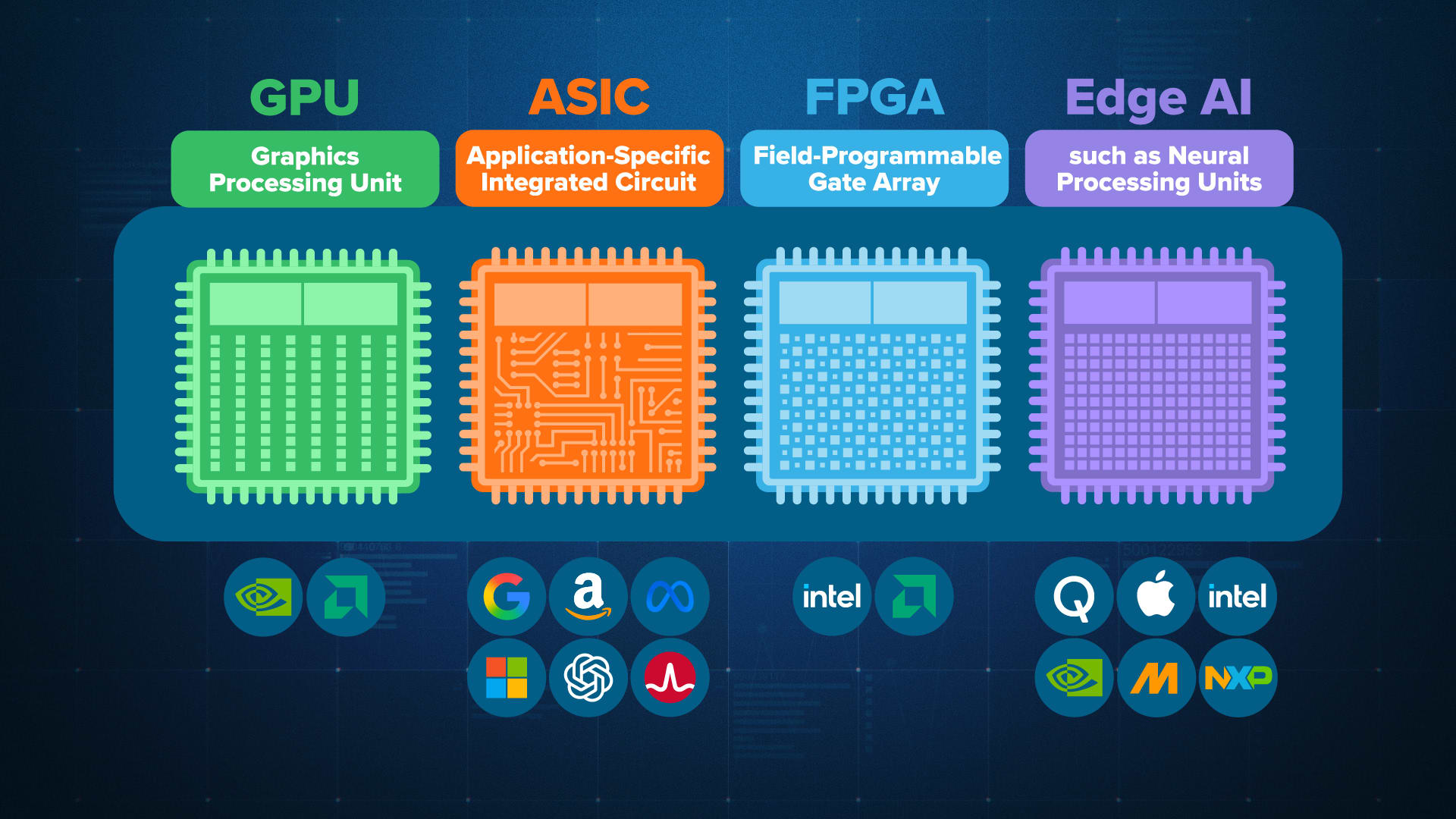
Nvidia is the best-known name for AI GPUs, but it is not alone. Other major chip companies connected to the USA market include AMD, Intel, Qualcomm, Google, Amazon, and several custom chip startups.
Still, Nvidia remains a major choice because many AI and creator tools are built to work well with its GPU software platform.
What is the best budget GPU for AI in 2026?
For many beginners, a GeForce RTX 5060 or 5060 Ti class card will be the budget option to watch. Try to choose a model with more VRAM if the price difference is reasonable.
If your budget is tight, also consider buying last-generation RTX cards when prices drop. They can still be useful for editing, learning, and light AI work.
Will Nvidia hit $300 in 2026?
No one can know for sure where Nvidia’s stock price will go. It depends on earnings, AI demand, chip supply, competition, and the wider stock market.
If you are asking as an investor, study the company’s financial reports and risk level. Do not make a stock decision only because AI chips are popular.
Final Recommendation
If you are a USA creator in 2026, buy the Nvidia GPU that fits your daily work, not the one with the biggest name. Most creators should choose a GeForce RTX 5070 Ti, 5080, or 5090 class card, depending on budget and workload.
Choose RTX 5060-level hardware if you are learning or working light. Use cloud access for H100, H200, B200, or GB200 power when your project truly needs it. That gives you the best mix of speed, cost control, and creative freedom.

*Affiliate link — we may earn a small commission at no extra cost to you.
“*Affiliate link — we may earn a small commission at no extra cost to you.”

Millennial writer covering everyday money struggles, price hikes, and life in India through a Gen-Z lens. Writes the way real people talk — no jargon, just facts.