
Blinkit feels cheap when you order one packet of bread, one curd, and one snack. But by the end of the month, those small orders can quietly become a ₹5,000 to ₹12,000 grocery habit.
The real problem is not only the item price. It is the mix of delivery fees, platform charges, impulse snacks, repeat orders, and “I need it now” buying.
Why Blinkit Spending Gets Out of Control So Fast
Quick grocery apps are designed for speed. That is useful when you need milk at 8 AM or diapers at night, but it also makes buying too easy.
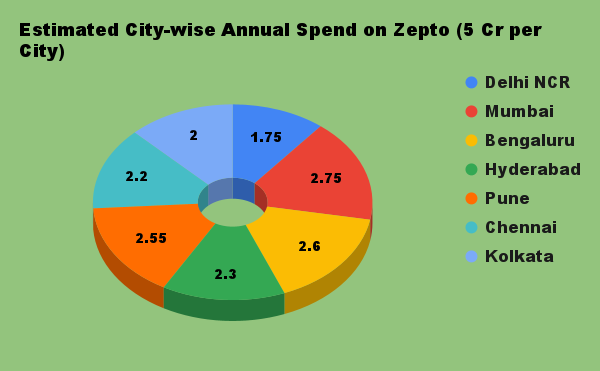
Most people do not overspend because of one large order. They overspend because of many small orders under ₹500 that feel harmless.
The “Small Order” Trap
A ₹249 order may not feel like a big deal. But if you place 15 such orders in a month, that is ₹3,735 before extra charges.
Now add chips, cold drinks, chocolates, ready-to-eat food, and delivery charges. Your grocery bill starts looking like a food delivery bill.
The “I Forgot One Thing” Problem
Many Blinkit orders start with one missing item. But the cart often ends with five extra items.
This happens because the app shows offers, combos, and quick add buttons. You went to buy atta, but you also bought cookies, namkeen, and ice cream.
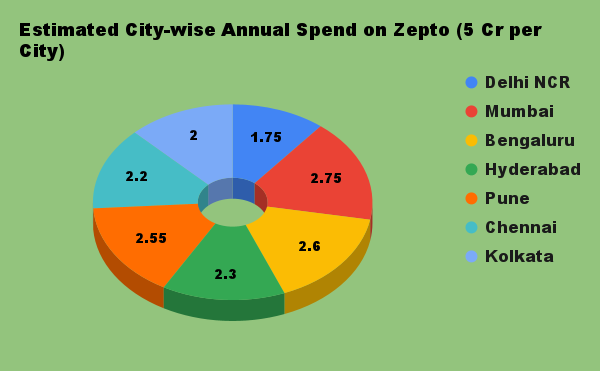
First Step: Know Your Real Monthly Blinkit Spend
You cannot control what you do not measure. Before cutting expenses, check how much you actually spend on Blinkit every month.
How to Check Total Money Spent on Blinkit
Open your Blinkit order history and note the total of each order for the month. You can also check your UPI, card, or wallet statement by searching for “Blinkit” or the payment merchant name.
If you use a Blinkit spending calculator or browser extension, use it only if you trust the source. Do not give login access to random tools. Your payment data is private.
Make a Simple Monthly Grocery Number
Pick one monthly grocery limit for your home. For example, a single person may start with ₹4,000 to ₹6,000, while a small family may set ₹8,000 to ₹15,000 depending on the city.
The exact number is less important than having a number. A clear limit changes your buying behaviour.
Key Budget Leaks in Blinkit Orders
| Budget Leak | What It Looks Like | Easy Fix |
|---|---|---|
| Frequent small orders | Ordering 10–20 times a month | Fix 2 order days per week |
| Impulse snacks | Adding chips, drinks, chocolates | Keep a separate snack limit |
| Buying fresh items online | Vegetables, fruits, herbs at high prices | Buy from local market when possible |
| Ignoring extra charges | Platform fee, delivery fee, handling fee | Order only when the cart is worth it |
| No monthly tracking | Real spend is unknown till salary ends | Update a simple tracker every Sunday |
9 Smart Rules to Control Blinkit Grocery Spending
1. Use Blinkit for Urgent Items, Not Full Grocery Shopping
Blinkit is best for items you need quickly. Use it for milk, bread, medicine-related basics, baby items, or forgotten kitchen items.
For monthly groceries like rice, dal, oil, atta, sugar, and detergent, compare prices with your local supermarket or wholesale store. These items often decide your total grocery budget.
2. Follow the MRP Product Rule
Use Blinkit more for packaged items where prices are easier to compare. Examples include flour, oil, biscuits, salt, toothpaste, soap, and branded staples.
Be careful with fresh fruits and vegetables. Their prices can change a lot, and local vendors may be cheaper.
3. Set a Weekly Blinkit Limit
A monthly budget feels far away. A weekly limit is easier to follow.
If your monthly Blinkit budget is ₹4,000, your weekly limit is ₹1,000. Once you hit that number, no more Blinkit orders unless it is urgent.
4. Create a “Wait 20 Minutes” Rule
Before placing a non-urgent order, wait 20 minutes. This small pause helps you avoid emotional buying.
If you still need the items after 20 minutes, order them. If not, leave the cart.
5. Make One Shared Family Grocery List
Many homes waste money because different family members order the same items. One person orders bread, another orders snacks, and someone else orders milk.
Use a shared WhatsApp note or Google Keep list. Add items through the week and order only from that list.
6. Keep Snacks on a Separate Budget
Snacks are often the silent budget killer. They do not feel like groceries, but they sit inside your grocery bill.
Set a clear snack budget, like ₹800 per month. When it is over, do not add chips, soft drinks, ice cream, or chocolates to grocery orders.
7. Check Price Per Kg or Per Litre
Small packs look cheaper, but they may cost more per kg. A 500g pack may be more expensive than a 1kg pack in the long run.
For regular items like dal, rice, atta, oil, and detergent, always check the bigger pack price. This one habit can save money every month.
8. Delete Saved Cards If You Overspend
This is a simple friction trick. When payment takes more effort, you think before ordering.
Remove saved cards or wallets from the app if you keep buying without thinking. Use UPI manually so every order feels like real money leaving your account.
9. Move Savings to a Better Goal
Saving ₹1,500 a month from grocery apps is not a small thing. That is ₹18,000 a year.
You can use that money for an emergency fund, a skill course, or investing. If you want to grow long-term savings, read this guide on Top 10 Best Mutual Funds to Invest in India for 2026: Complete Breakdown for Long-Term Wealth.
A Simple 30-Day Blinkit Budget Plan
Week 1: Track Without Judging
For the first week, do not change anything. Just write down every Blinkit order amount.
Also mark why you ordered: urgent need, snack craving, forgotten item, or planned grocery.
Week 2: Cut Repeat Orders
Look for items you ordered again and again. Milk, bread, eggs, curd, and snacks are common examples.
Now plan these items twice a week instead of ordering daily.
Week 3: Shift Bulk Items Offline
Buy rice, atta, dal, oil, cleaning items, and personal care products in one planned trip. This reduces random app orders.
If offline shopping is not possible, compare prices across your usual grocery options before placing a large order.
Week 4: Lock Your New Budget
Set your final monthly limit based on what you learned. Keep it realistic, not extreme.
If you cut too hard, you may give up. A 10% to 20% reduction is a strong start.
Behaviour-Based Insights That Actually Help
Most overspending happens at night because cravings are stronger and self-control is lower. Avoid opening grocery apps after dinner unless it is urgent.
Free delivery can make you spend more if you add extra items only to reach a limit. Paying ₹25 delivery may be cheaper than adding ₹200 of snacks.
Offers are not savings if you did not need the item. A discount on something unused is still wasted money.
Salary week orders are usually bigger. Set your grocery budget on salary day before lifestyle spending begins.
If your main issue is low income rather than high spending, you can also explore extra income ideas like 11 Best Ways to Earn Money Online in India Without Getting Scammed. But first, stop the easy leaks in daily spending.
FAQ
How much should I spend on groceries per month in India?
It depends on your city, family size, diet, and cooking habits. A single person may spend around ₹4,000 to ₹8,000, while a family can spend much more.
The better method is to track your last 2 months and then reduce the amount by 10% first.
Is a Blinkit spending calculator useful?
Yes, it can be useful if it helps you see your total monthly spend quickly. But be careful with tools that ask for private login or payment access.
You can also calculate manually from order history and bank statements.
How do I reduce monthly grocery expenses without changing my lifestyle?
Start with low-effort changes. Reduce order frequency, avoid impulse snacks, buy staples in bulk, and set a weekly app limit.
These changes do not require a major lifestyle change. They only make your buying more planned.
Should I delete Blinkit to save money?
If you are ordering daily and cannot control it, deleting the app for 15 days can help reset the habit. But you do not have to delete it forever.
A better long-term plan is to use it only for urgent needs and fixed planned orders.
Are quick-commerce apps always more expensive?
Not always. Some packaged goods may have good prices or offers.
But the total bill can rise because of convenience buying, extra charges, and unplanned items. Always compare the full cart, not just one product.
Final Recommendation
Do not treat Blinkit as your main grocery store. Treat it as a backup tool for urgent needs and selected packaged items.
Set a monthly limit, split it into weekly caps, and track every order for 30 days. If you follow only one rule, follow this: no Blinkit order without checking your weekly budget first.
The goal is not to stop convenience. The goal is to stop convenience from quietly eating your salary.
“The goal is not to stop convenience.”

*Affiliate link — we may earn a small commission at no extra cost to you.

Millennial writer covering everyday money struggles, price hikes, and life in India through a Gen-Z lens. Writes the way real people talk — no jargon, just facts.