
9 High-Impact AI Productivity Tools That Fix Real Workday Problems
Your workday is probably not lost to one big task. It is lost to 40 small things: emails, meeting notes, status updates, research, slides, and follow-ups.
The right AI productivity tools for work can cut down these busy tasks so you have more time for real thinking. The trick is not using every tool you see, but choosing tools that solve your daily bottlenecks.
Start With the Work Problem, Not the Tool
Many people ask, “Which AI is best for work productivity?” A better question is, “What part of my workday wastes the most time?”
If your inbox is the problem, you need writing and email help. If meetings eat your day, you need notes and summaries. If your team repeats the same tasks every week, you need automation.
For a broader list across work, study, and teams, you may also like 11 Best AI Productivity Tools in 2026 for Work, Study, and Software Teams. This guide takes a more practical angle: which tools fix which work pain.
Best AI Productivity Tools by Work Bottleneck
1. ChatGPT for Everyday Thinking and Drafts
ChatGPT is a strong all-purpose tool for writing, planning, brainstorming, and explaining hard topics in simple terms. You can use it to draft emails, create outlines, rewrite reports, or prepare talking points before a meeting.
It works best when you give it context. Instead of asking, “Write an email,” say who the email is for, the goal, the tone, and the key details.
2. Claude for Long Documents and Careful Writing
Claude is useful when you work with long notes, reports, policies, or transcripts. It can help summarize long documents, compare ideas, and clean up rough drafts.
If your job involves reading and writing a lot, Claude can save serious time. It is especially helpful for turning messy notes into clear next steps.
3. Microsoft Copilot for Office Work
Microsoft Copilot is a good fit if your company lives in Word, Excel, PowerPoint, Outlook, and Teams. It can help write documents, summarize meetings, build slides, and work with spreadsheets.
This is one of the best AI tools for office work because it sits inside tools many teams already use. That means less switching between apps.
4. Google Gemini for Gmail, Docs, and Sheets
Google Gemini is useful for teams that work in Gmail, Google Docs, Google Sheets, and Google Slides. It can help write replies, summarize files, and create simple starting drafts.
If your team uses Google Workspace, Gemini can reduce the time spent jumping from email to docs to spreadsheets.
5. Zapier for Automation Across Apps
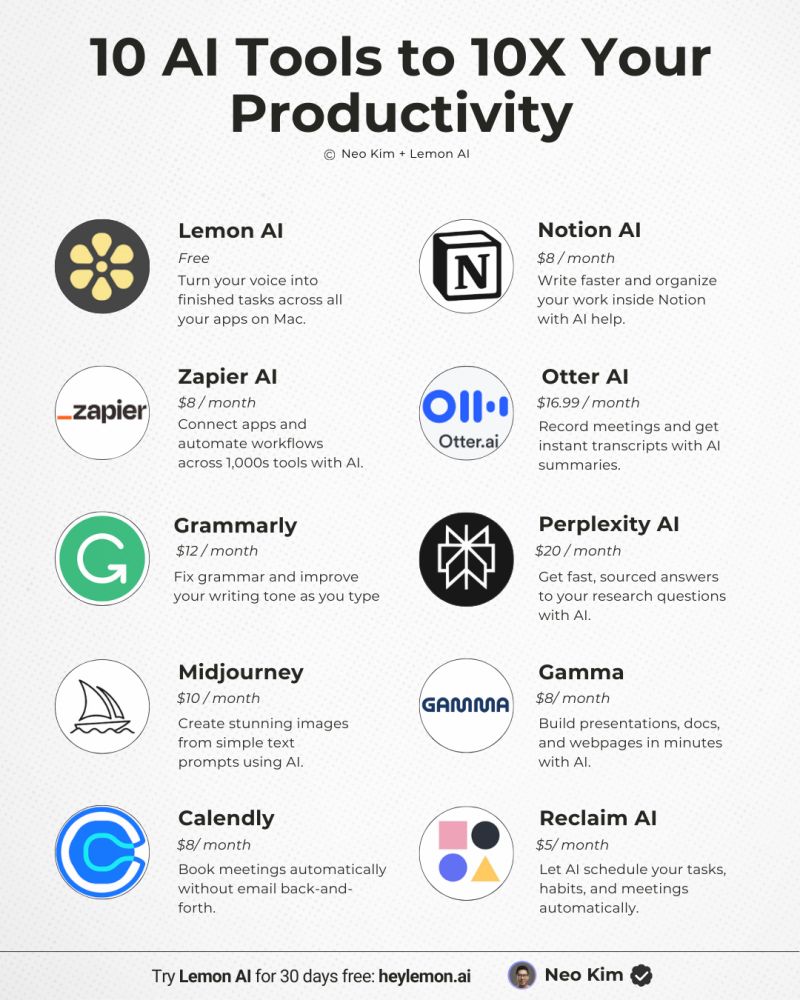
Zapier connects your apps and automates repeated tasks. For example, it can save form responses to a spreadsheet, send Slack alerts, create tasks from emails, or move data between systems.
This is where productivity gains can get big. Once a workflow runs on its own, you stop spending time on copy-paste work.
6. Grammarly for Cleaner Work Messages
Grammarly helps improve emails, documents, and messages. It checks grammar, tone, clarity, and word choice.
It is simple but powerful for daily work. Clear writing reduces back-and-forth, confusion, and mistakes.
7. Fireflies or Otter for Meeting Notes
Fireflies and Otter can record meetings, create transcripts, and pull out action items. This helps when you have many calls and do not want to take notes by hand.
These tools are best for sales calls, project meetings, interviews, and team check-ins. Always follow your company rules before recording meetings.
8. Notion AI for Team Notes and Knowledge Bases
Notion AI helps turn notes into summaries, action plans, FAQs, and project pages. It is useful if your team stores documents, meeting notes, and tasks in Notion.
It can make a messy workspace easier to search and use. That saves time for new hires and busy teams.
9. Asana or ClickUp for Project Updates
Asana and ClickUp help teams manage tasks, deadlines, and status updates. Their smart features can summarize projects, suggest next steps, and reduce manual tracking.
If your team loses time asking “Where are we on this?”, a project tool with smart summaries can help. For more work-focused picks, see 7 Smart AI Work Tools to Save Hours Every Week in 2026.
Key Data Table: Match the Tool to the Task
| Work Problem | Best Tool Type | Good Options |
|---|---|---|
| Too many emails and messages | Writing assistant | ChatGPT, Grammarly, Microsoft Copilot |
| Long meetings and weak follow-up | Meeting notes tool | Fireflies, Otter, Teams with Copilot |
| Repeating the same admin tasks | Automation platform | Zapier, Make |
| Scattered team knowledge | Knowledge workspace | Notion AI, Confluence features |
| Unclear project status | Project management tool | Asana, ClickUp, Monday.com |
Free AI Tools for Office Work
If you want the best free AI tools for office work, start with free plans before paying. Many tools offer enough features to test the value.
ChatGPT, Claude, Grammarly, Gemini, Notion, Otter, and Zapier all have free or low-cost starting options in many cases. Free plans often have limits, but they are enough to see if the tool fits your workflow.
Do not judge a tool after one random test. Try it on the same task three to five times. If it saves time each time, it may be worth keeping.
A Simple 5-Step Setup Plan
Step 1: Pick Your Biggest Time Drain
Choose one problem first. It could be email, meetings, research, reporting, or project updates.
Do not try to fix your whole workday at once. That creates more work, not less.
Step 2: Choose One Tool for That Problem
If writing is the issue, start with ChatGPT, Claude, or Grammarly. If automation is the issue, start with Zapier.
If you code or work with software teams, this guide may be more useful: 9 Best AI Productivity Tools for Developers to Build and Ship Faster.
Step 3: Create Three Repeatable Prompts
Make prompts for tasks you do often. For example: “Turn these meeting notes into action items,” or “Rewrite this email to sound clear and polite.”
Save your best prompts in a document. This turns the tool into a repeatable system.
Step 4: Set Clear Rules for Sensitive Data
Never paste private client data, passwords, financial records, or personal employee details into tools unless your company allows it. Use approved tools for sensitive work.
This is especially important in legal, health, finance, and HR roles.
Step 5: Measure Time Saved
Track one simple number: minutes saved per week. If a tool saves at least one hour each week, it may be worth using.
If it adds more steps or creates messy output, drop it and try another option.
FAQ
What are the best AI productivity tools for work?
The best mix for most workers is ChatGPT or Claude for thinking and writing, Grammarly for clear messages, Fireflies or Otter for meetings, Zapier for automation, and Asana or ClickUp for project tracking.
What are the best free AI tools for office work?
Good free options include ChatGPT, Claude, Gemini, Grammarly, Notion, Otter, and Zapier. Free plans may have usage limits, but they are great for testing real work tasks.
Which AI is best for work productivity?
For general work, ChatGPT is a strong first choice because it handles many tasks. Claude is great for long documents, while Microsoft Copilot or Gemini may be better if your company already uses their office suites.
Are AI productivity tools safe for business use?
They can be safe if you follow company rules and avoid sharing sensitive data. For business use, choose tools with strong privacy controls, admin settings, and clear data policies.
What do Reddit users often recommend for productivity?
Many workers on forums tend to praise tools that solve boring daily tasks, not flashy tools. Common favorites include chatbots for drafting, automation tools for workflows, and meeting note tools for follow-ups.
Final Recommendation
Start with one chatbot, one meeting tool, and one automation tool. For most teams, that means ChatGPT or Claude, Fireflies or Otter, and Zapier.
Use them on real tasks for two weeks. Keep the tools that save time, remove the ones that add noise, and build a small work system you will actually use every day.
“Use them on real tasks for two weeks.”

*Affiliate link — we may earn a small commission at no extra cost to you.

Millennial writer covering everyday money struggles, price hikes, and life in India through a Gen-Z lens. Writes the way real people talk — no jargon, just facts.