
Your most sensitive data may not be leaking through hackers — it may be leaving through perfectly approved productivity tools. For law firms, defense contractors, healthcare companies, financial teams, and R&D labs, the big question is no longer “Which model is smartest?” It is “Where does our data go when someone hits Enter?”
Local LLMs and cloud AI can both be powerful, but they are not equal when privacy, compliance, and control matter. The right choice depends on your risk tolerance, workload, budget, and how much operational complexity your team can handle.
1. The Real Difference: Where Your Data Lives
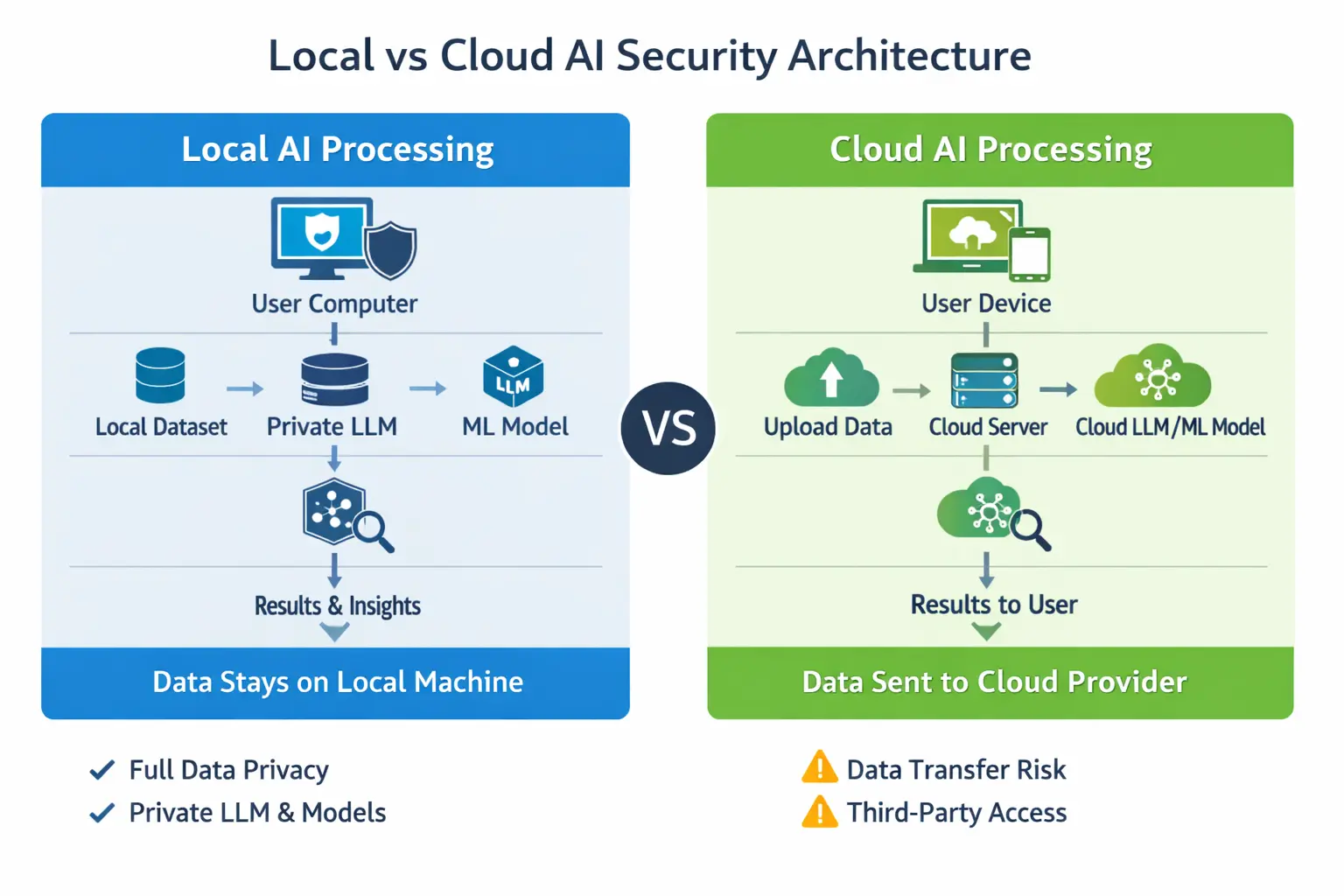
The simplest way to compare local LLMs vs cloud AI is this: with cloud tools, your prompts, files, code, and context usually travel to someone else’s infrastructure. With local models, everything can stay on your own hardware, network, or private environment.
That one difference affects almost everything:
- Data sovereignty: Local deployment lets you decide exactly where information is stored and processed.
- Vendor exposure: Cloud services may involve third-party infrastructure, logging, retention, and support access.
- Compliance posture: Local systems can be designed around HIPAA, GDPR, ITAR, FINRA, SOC 2, or internal governance policies.
- Incident blast radius: A misconfigured cloud workflow can expose more data than a locked-down local environment.
This does not mean cloud AI is automatically unsafe. Many enterprise platforms offer strong security controls. But for high-security firms, “secure enough” is not the same as “under our control.”
2. Cloud AI Is Convenient — And That Is the Problem
Cloud AI tools are popular because they are fast, simple, and constantly improving. Services like Claude AI and similar platforms can handle long documents, complex reasoning, drafting, research, and coding with minimal setup.
For many teams, the advantages are obvious:
- No hardware to buy
- No model management
- Better performance on difficult tasks
- Easy collaboration
- Frequent upgrades
- Lower technical burden for non-engineering teams
But convenience often creates shadow usage. Someone pastes a client contract. A developer uploads proprietary source code. An analyst drops in an acquisition target list. Nobody intends to create risk — they are just trying to move faster.
That is why high-security firms need a written rule: cloud AI should never be the default destination for sensitive data.
3. Local LLMs Give You Control, But Not Magic
Local LLMs run on hardware you control: a workstation, private server, secure lab machine, on-prem cluster, or private cloud environment. Tools like LM Studio, Ollama, and private inference stacks make it increasingly practical to run capable models without sending data outside your environment.
For privacy-first teams, local LLMs offer major benefits:
- Prompts stay internal
- Documents do not leave your network
- Source code remains under your access controls
- Logs can be disabled, restricted, or retained under your own policy
- Models can be isolated from the internet
But there is a tradeoff. Local models are often slower, less polished, and more demanding to operate. Agentic coding workflows, document analysis, and complex reasoning may require more attention, better prompting, smaller task chunks, and stronger review.
In plain English: local LLMs are totally doable for small and medium-scale secure workflows, but they take discipline.
4. Local LLMs vs Cloud AI: Side-by-Side Comparison
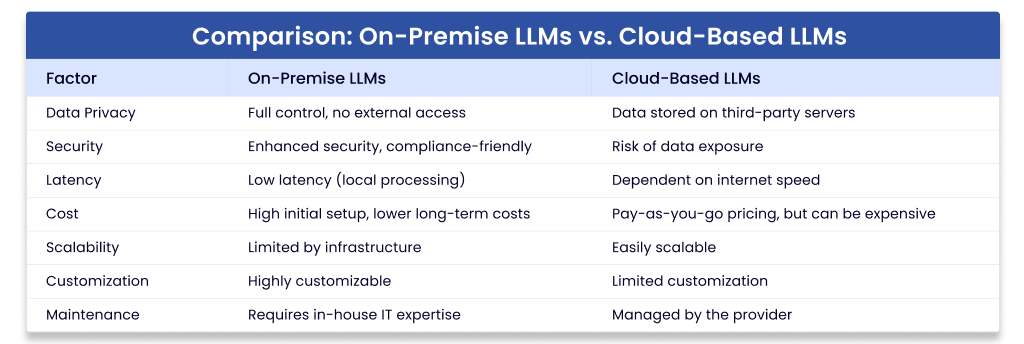
| Factor | Local LLMs | Cloud AI |
|---|---|---|
| Privacy | Best control; data can stay on owned hardware | Depends on vendor terms, logging, retention, and configuration |
| Speed to deploy | Slower; requires setup and testing | Fast; often ready immediately |
| Model quality | Good and improving, but varies by hardware and model | Often stronger for reasoning, writing, and long-context work |
| Compliance | Easier to align with strict data residency rules | Possible, but requires vendor review and contractual controls |
| Cost model | Upfront hardware and maintenance costs | Subscription or usage-based costs |
| Best for | Confidential documents, code, regulated data, internal knowledge | General drafting, public research, low-risk brainstorming |
5. The 7 Privacy Rules High-Security Firms Should Follow
Rule 1: Classify Data Before Choosing a Tool
Do not start with “Which model should we use?” Start with “What kind of data is involved?” Create simple categories:
- Public: marketing copy, public research, published policies
- Internal: meeting notes, process docs, non-sensitive analysis
- Confidential: client files, contracts, financials, source code
- Restricted: regulated records, trade secrets, national security, unreleased IP
Public and low-risk internal work can often go to approved cloud tools. Confidential and restricted work should default to local or private deployment.
Rule 2: Treat Prompts as Data
Many firms protect files but forget prompts. A prompt can contain client names, deal terms, security architecture, credentials, source code, medical details, or litigation strategy.
If you would not email it to an outside vendor, do not paste it into an unapproved cloud tool.
Rule 3: Lock Down Local Models Like Any Other Sensitive System
Local does not automatically mean secure. You still need proper controls:
- Role-based access
- Encrypted storage
- Network segmentation
- No unnecessary internet access
- Audit logs where appropriate
- Patch management
- Secure model and dataset storage
For a small secure setup, a dedicated workstation with a strong GPU can be enough. Consider a high-memory workstation or secure mini-server [AMAZON_LINK], encrypted external backup drive [AMAZON_LINK], and hardware security key [AMAZON_LINK] for administrator access.
Rule 4: Use Cloud Only With Enterprise Controls
If your firm uses cloud AI, use enterprise-grade plans and review the terms carefully. Look for:
- No training on your business data by default
- Clear data retention settings
- Admin controls and user management
- Single sign-on
- Audit logging
- Regional data handling options
- Contractual privacy and security commitments
Free or consumer accounts should not be used for regulated, proprietary, or client-sensitive work.
Rule 5: Separate Coding Workflows by Risk
Agentic coding is one of the biggest pressure points. Developers want fast help, but source code can reveal product strategy, vulnerabilities, credentials, architecture, and customer logic.
A practical policy looks like this:
- Use local models for proprietary source code, security reviews, and internal repositories.
- Use cloud tools only for generic programming questions or open-source examples.
- Never paste secrets, tokens, environment files, or private keys into any model.
- Require human review before applying generated code.
For developer-friendly local testing, LM Studio [AMAZON_LINK] and Ollama [AMAZON_LINK] are approachable starting points, especially for teams experimenting before building a larger internal platform.
Rule 6: Watch Out for Hidden Data Paths
Privacy risk is not only about prompts. High-security firms should also inspect:
- Telemetry from desktop apps
- Crash reports
- Browser extensions
- Chat history exports
- Vector databases and embeddings
- Third-party plugins
- Connected cloud storage
Embeddings matter too. If you build a retrieval system from confidential documents, the index itself can become sensitive. Store it like protected data.
Rule 7: Build a Hybrid Policy, Not a Religious War
The best answer is rarely “local only” or “cloud only.” Most high-security firms should use a hybrid model:
- Local LLMs: confidential documents, internal knowledge bases, private code, regulated records
- Cloud AI: public research, marketing drafts, generic brainstorming, non-sensitive summarization
- Private cloud or dedicated enterprise deployment: larger workloads that need scale plus stronger controls
This gives teams speed where risk is low and control where risk is high.
6. Recommended Decision Framework
Use this simple test before approving any workflow:
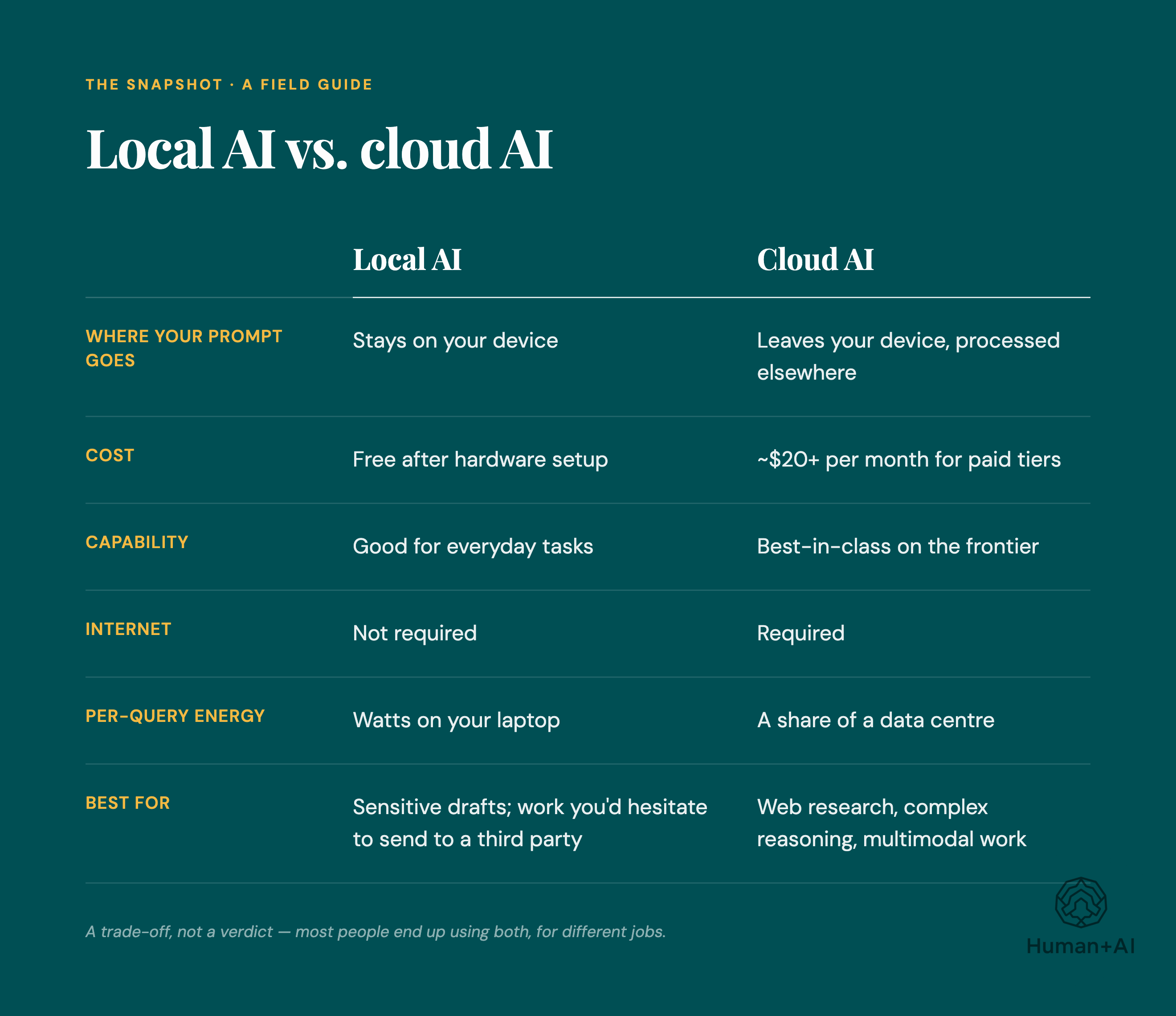
- Would this data create legal, financial, client, or security harm if exposed? If yes, keep it local or private.
- Is the task generic? If yes, cloud may be acceptable.
- Does the vendor contract clearly protect your data? If no, do not use cloud for sensitive work.
- Can the local model perform well enough? If yes, local is safer.
- Is speed more important than confidentiality? For high-security firms, the answer should almost never be yes.
FAQ
Is Claude AI safe for confidential business data?
It depends on your plan, settings, contract, and data policy. Enterprise-grade controls may be appropriate for some business use, but high-security firms should not paste confidential, regulated, or client-sensitive data into any cloud tool without legal, security, and compliance approval.
What is LM Studio used for?
LM Studio helps users run local models on their own machines through a friendly interface. It is useful for testing local workflows, experimenting with private document analysis, and giving teams a simpler entry point before investing in larger infrastructure.
Are local LLMs completely private?
They can be highly private, but only if configured correctly. Privacy depends on network isolation, storage security, access controls, logging, telemetry settings, and how users handle files and outputs.
Are local models good enough for professional work?
Yes, for many tasks: summarizing internal documents, drafting policies, searching knowledge bases, reviewing code, and assisting with routine analysis. For very complex reasoning or long-context work, top cloud systems may still perform better.
What hardware do we need to run local models?
Small teams can start with a powerful workstation, enough RAM, and a capable GPU [AMAZON_LINK]. Larger teams may need dedicated inference servers, secure storage, and centralized access controls.

Final Recommendation
For high-security firms, the safest strategy is clear: make local LLMs the default for sensitive work and use cloud AI only for approved, low-risk tasks. Cloud tools are excellent for speed and convenience, but local deployment gives you the privacy, sovereignty, and compliance control that regulated teams actually need.
If your data is public, use the fastest approved tool. If your data is confidential, proprietary, regulated, or client-owned, keep it local, private, and tightly governed. That single rule will prevent most of the mistakes firms make when adopting these tools.